

 LinkedIn
A new Google Ads account can spend its first week paying to learn that job seekers, existing customers, and irrelevant clicks do not buy from you. I use these negative-keyword lists, budget settings, and bid guardrails to put boundaries around that education, with a warning on where each boundary can cost you volume.
Swipe: decide which lists belong in the account
When to use it: Run this triage before copying any negative list. Replace placeholders such as [YOUR_BRAND] and [TOP_COMPETITOR_1] with your actual names; keep each list at the scope specified below. Start with the kind of buyer you serve, not the longest list you can find.
B2B SaaS or high-ticket lead gen:
  Review employment, research, free-resource, support, and bargain terms.
  Remove any term that describes your actual offer or lead magnet.

Ecommerce (D2C retail):
  Review support and login terms first.
  Keep pricing, coupon, used, and refurbished searches if they fit your inventory or margins.

Local or home services:
  Review jobs and DIY terms first.
  Keep parts and location searches if they lead to repair or service calls.
The one adjustment that matters: Do not treat a starter list as permission to negate an entire category. A useful filter saves money only while it leaves your buyers a way in. If a term could describe either a poor prospect or your actual customer, review it before excluding it.
Swipe: negative-keyword lists for known waste
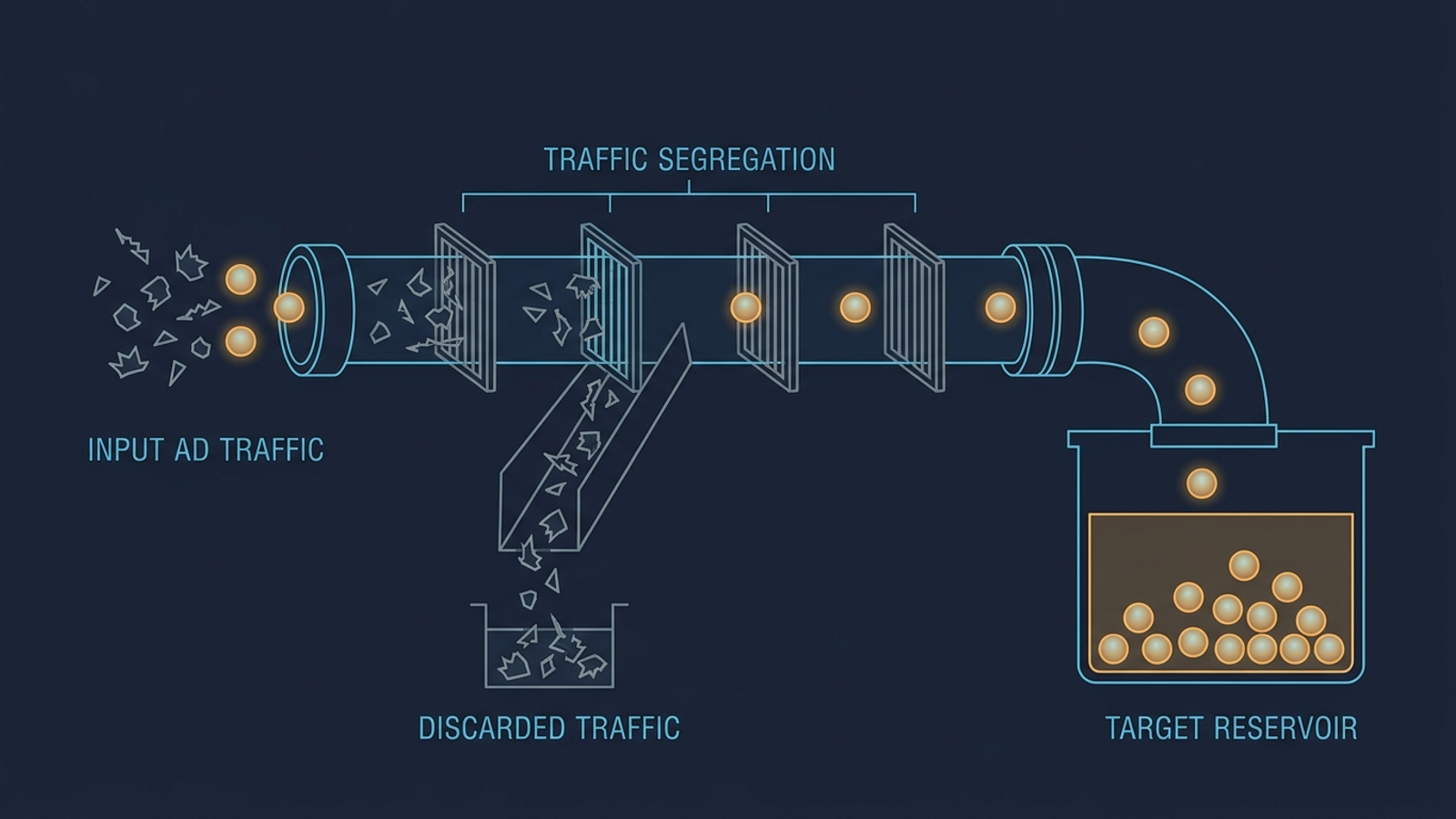
These lists target queries I would rather exclude than ask automated bidding to investigate with a new account’s budget. Review the search terms against what you sell before applying a list. The point is to remove known waste, not to make the account look tidy by removing every ambiguous word.
1. Employment, education, and free-resource searches
When to use it: Add the relevant terms to non-brand acquisition campaigns when you do not sell training, recruiting products, or free resources. This catches searches whose words overlap your offer but whose intent does not. Review the whole list; the employment terms and the free-resource terms solve different problems.
career
careers
job
jobs
internship
internships
salary
salaries
resume
glassdoor
indeed
employment
hiring
course
courses
tutorial
tutorials
diy
how to make
definition
meaning
wiki
wikipedia
open source
github
free download
torrent
crack
nulled
cheat sheet
pdf download
ppt
template free
The one adjustment that matters: Pull any word that describes your primary offer or lead magnet. Blocking course is sensible for paid software, not for a company selling professional training. The same logic applies to a free resource you deliberately use to attract buyers.
2. Customer support and account-navigation searches
When to use it: Apply this to acquisition campaigns when existing customers use Google to find your login or support desk. Paying to reacquire someone who already pays you makes acquisition CPA harder to read. Keep this list separate from your judgment about whether those customers need a paid route back to you.
login
log in
signin
sign in
portal
portal login
dashboard
forgot password
reset password
support phone number
customer service
help desk
billing phone number
cancel subscription
refund request
corporate office
headquarters
hr department
phone number for
address for
The one adjustment that matters: In a dedicated brand campaign, keep these exclusions only if customer-support and retention searches are not paid goals. Decide what the campaign is meant to accomplish before you block navigation traffic. Otherwise, you may improve an acquisition report by hiding traffic the business still wants to serve.
3. Bargain searches that do not fit your margins
When to use it: Add the relevant terms to premium B2B or margin-sensitive ecommerce campaigns when bargain traffic produces non-paying trials or orders that do not work for the business. This is a margin decision, not a verdict on shoppers who compare prices.
cheap
cheapest
discount code
coupon code
promo code
free trial without credit card
hacked
cracked
second hand
used
refurbished
liquidation
wholesale lot
clearance
overstock
alibaba
aliexpress
ebay
craigslist
amazon basics
walmart
The one adjustment that matters: If you sell outlet or refurbished inventory, remove used, refurbished, and clearance. A negative keyword that describes your product is not a guardrail. It is a locked front door. Check the pricing-related terms against your promotions before you close that door, too.
4. Competitor names: separate the traffic, do not erase it
When to use it: Put competitor names on core generic Search campaigns, not in an account-level list. Then give comparison shoppers a dedicated competitor campaign instead of letting generic broad match spend against rival names. Separation makes the spend easier to control without pretending those shoppers have disappeared.
[TOP_COMPETITOR_1]
[TOP_COMPETITOR_2]
[TOP_COMPETITOR_3]
alternative to [YOUR_BRAND]
is [TOP_COMPETITOR_1] good
switch from [TOP_COMPETITOR_1]
cancel [TOP_COMPETITOR_1]
The one adjustment that matters: Build the competitor campaign before applying these negatives to generic Search. Give that campaign its own conservative Target CPA or strict manual CPC; otherwise, isolation becomes a polite name for abandoning comparison shoppers. Keep broad terms such as vs, reviews, and pricing out of this list unless you want to exclude those searches regardless of which products they compare.
Swipe: budget pacing and launch targets
Google can spend up to twice an average daily budget on a given day under its overdelivery rules. An average daily budget is not a hard daily cap. That distinction matters most when conversion tracking is new: a promising-looking cluster of clicks is not yet proof of qualified pipeline. It is one reason to watch for Performance Max overspending rather than assume a daily setting will stop every spike.
5. A launch budget and two bidding paths
When to use it: Set these before a new campaign goes live or after fixing conversion tracking. The budget formula starts below your intended monthly pace; it does not prevent an individual day from overspending that pace. Choose one bidding path so you can tell which constraint is affecting delivery.
// LAUNCH BIDDING & BUDGET TEMPLATE
Initial average daily budget:
  (Target Monthly Spend / 30.4) * 0.70
  [A starting pace, not a hard daily spending limit]

Choose one initial bidding path:
  Path A, days 1–14: Maximize Conversions; no Target CPA set.
  Path B, days 1–14: Portfolio Target CPA with a 130% target buffer.

If using Target CPA:
  Launch tCPA = Target Acceptable CPA * 1.30
  [Consider tightening by 5–10% weekly only after 30+ conversions log]

If using Target ROAS:
  Launch tROAS = Breakeven ROAS * 0.85
  [Consider raising in 10% increments after volume stabilizes]
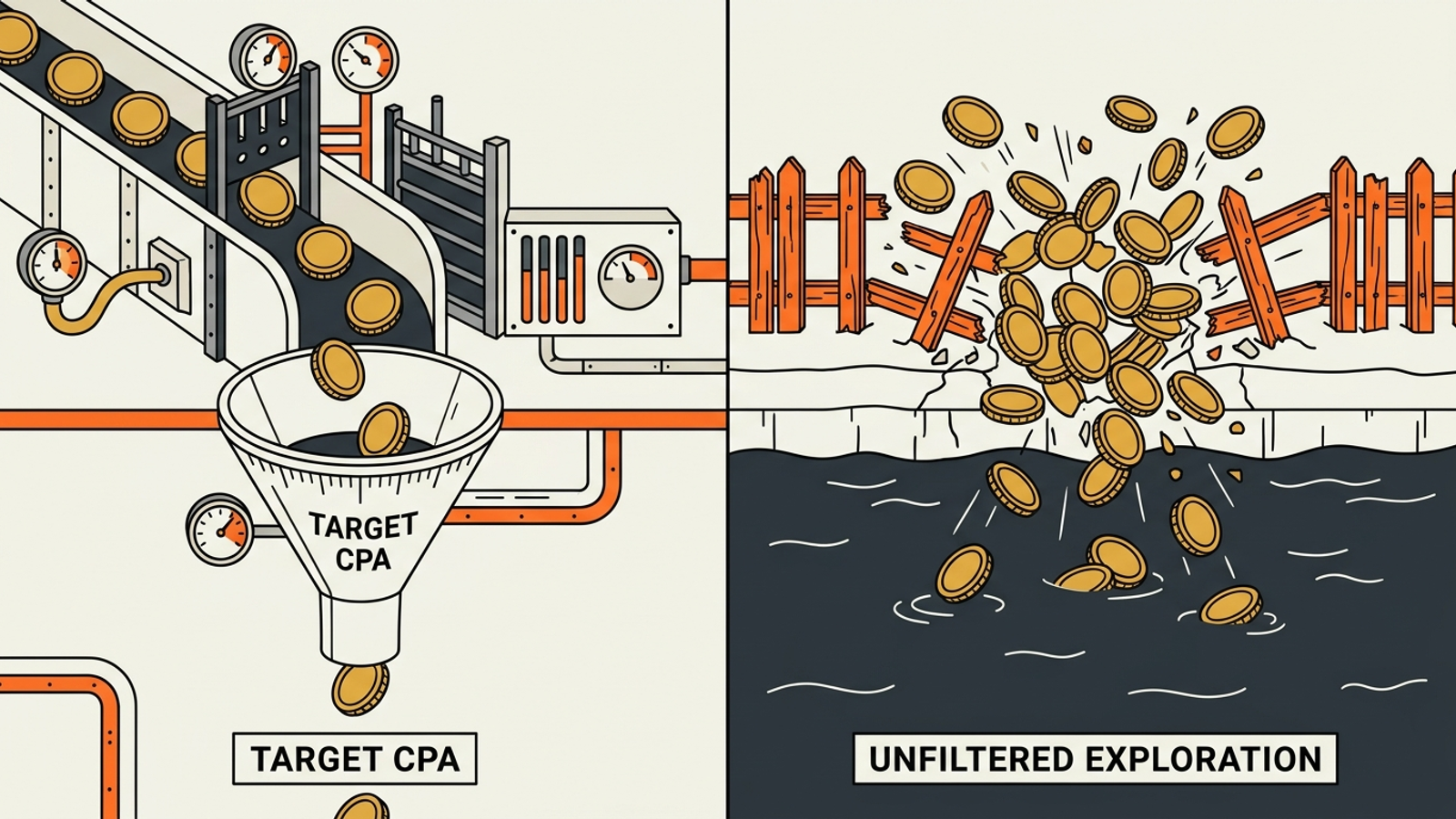
The one adjustment that matters: Do not enter your dream CPA as the first Target CPA on an unproven campaign. A $40 target against searches that require a $65 CPA can leave the strategy hunting for cheaper traffic instead of viable customers. I explain that failure mode in how Target CPA constraints kill conversion volume. If you choose the Target CPA path, start with the buffer and tighten only against verified conversion data. Cheaper clicks are no consolation if the right auctions stop seeing your ads.
Swipe: the first 2–4 weeks
6. A launch checklist that keeps the signals readable
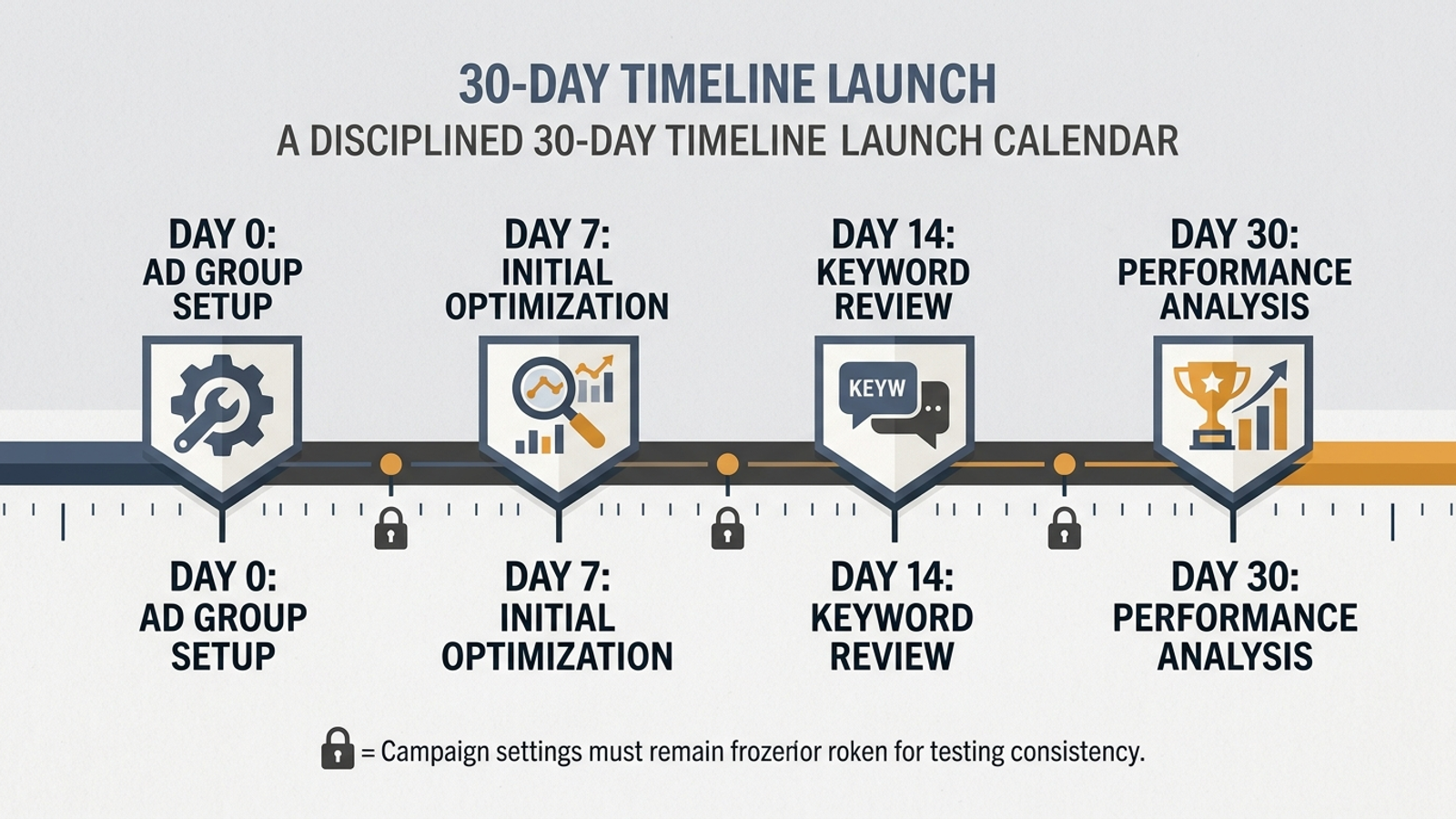
When to use it: Copy this into your sprint board for a new account or a rebuilt campaign moving onto automated bidding. The order matters: check conversion quality and search terms before treating a bid-strategy status label as a verdict. A clean status label cannot rescue a broken conversion signal.
// GOOGLE ADS LAUNCH SCHEDULE: FIRST 2–4 WEEKS
Day 0 — pre-flight:
  [ ] Confirm the primary conversion fires on verified leads or transactions.
  [ ] Apply reviewed negative lists at the appropriate campaign scope.
  [ ] Isolate competitor names from generic Search.
  [ ] Choose one launch bidding path; if using portfolio tCPA, set its bid limit.
  [ ] Set the initial average daily budget below target monthly pace.

Days 1–3 — delivery and leaks:
  [ ] Check Search Impression Share: Lost IS (rank) and Lost IS (budget).
  [ ] Review search terms at hours 24 and 48; negate off-target queries.
  [ ] Avoid bid, target, and structural changes unless something is broken.

Days 4–7 — signal calibration:
  [ ] Match logged conversions against backend analytics.
  [ ] Add verified converting queries as exact-match keywords.
  [ ] Avoid daily budget changes above 15% unless the spend requires intervention.

Days 8–14 — initial efficiency review:
  [ ] Check whether the bid strategy is still Learning or has become Active.
  [ ] If Lost IS (rank) exceeds 60%, review the portfolio max CPC limit.
  [ ] If 30+ conversions have logged, consider tightening tCPA by 5–10%.

Weeks 3–4 — downstream review:
  [ ] Compare conversion records with CRM pipeline and booked revenue.
  [ ] Test broad match on ad groups with 30+ verified monthly conversions.
  [ ] Consider Value Rules for high-value locations, devices, or audiences.
The one adjustment that matters: Keep your hands off is a rule against nervous tinkering, not against stopping a leak. Smart Bidding’s learning period can take around 50 conversion events or three conversion cycles. Check the data throughout the first week; change the setup when tracking or spend is plainly wrong, not because day four CPA looks ugly.
Turn campaigns on in a sequence the account can support. Start with transactional search intent rather than activating Performance Max, broad-match Search, and Display at once; this campaign launch sequence gives you cleaner conversion data to inspect before expanding.
Swipe: diagnose the volume you gave up
7. Three checks before blaming the offer
When to use it: Run this check when impressions or conversions fall after you add exclusions or bid limits. Every guardrail trades some possible volume for tighter control; find out which fence is doing the cutting. Start with the change you made, then look for evidence that it blocked traffic you wanted.
[ ] Negative-keyword collision:
    Check whether a single-word negative blocks a valuable query.
    Example: "free" can conflict with "toll free phone system for business."

[ ] Competitor-campaign gap:
    Check whether competitor names are excluded from generic Search
    without a dedicated campaign to catch comparison shoppers.

[ ] Bid cap too close to average CPC:
    Check whether the maximum bid sits at historical average CPC
    and prevents entry into competitive auctions.
The one adjustment that matters: Inspect actual search terms and lost impression share before loosening everything. If the bid cap is the constraint, allow room above average CPC; the point is to stop an exceptional spike, not every auction that costs more than average. Remove the fence causing the problem, not every fence in the account.
Swipe: the mechanical fuse I would keep

8. A portfolio maximum bid limit
When to use it: If you choose portfolio Target CPA for a Search campaign, set a maximum bid limit in the portfolio strategy rather than assuming the Target CPA alone limits any single click. Standard campaign-level Target CPA does not offer this same maximum CPC setting. Create the portfolio strategy through Tools and Settings > Shared Library > Bid Strategies, following Google’s portfolio Target CPA framework.
// PORTFOLIO MAX CPC CAP
Baseline target CPA: $[YOUR_TARGET_CPA]
Expected conversion rate: [EXPECTED_CONVERSION_RATE]
Max CPC cap = Baseline target CPA * Expected conversion rate * 2.5

Example:
  $60 * 0.05 = $3.00 expected value per click
  $3.00 * 2.5 = $7.50 maximum bid limit

Portfolio strategy settings:
  Name: [Portfolio] Generic Search - tCPA Guardrailed
  Target CPA: $[YOUR_TARGET_CPA * 1.30]
  Maximum bid limit: $[CALCULATED_MAX_CPC_CAP]
  Minimum bid limit: leave blank
The one adjustment that matters: Check impression share lost to rank after 72 hours. If it exceeds 60% and impressions flatline, the cap may be choking competitive auctions; raise it cautiously and check again. A bid limit that prevents delivery is not a win just because it prevented an expensive click.
If I could keep only one artefact here, I would keep the portfolio maximum bid limit. Negative lists catch the bad queries you can name; the bid limit puts a ceiling on what the strategy can bid when it encounters a query you did not anticipate. It is a mechanical fuse, not a substitute for reviewing leads, search terms, and volume. That is also the logic behind the groas autonomous paid search engine: continuous bid adjustments and negative-keyword harvesting inside business guardrails, so the machine learns within your unit economics rather than learning at your expense.