---
title: "Can AI Bots Read Your Site? A 60-Minute Plumbing Check"
description: "Before rewriting pages for AI answers, check the plumbing. This 60-minute walkthrough tests robots.txt, initial HTML, your sitemap, schema, status codes, and verified bot fetches."
url: "https://groas.com/post/can-ai-bots-actually-read-your-site-a-60"
image: "https://pub-87da24ecbbfc4c3bad6875f3aa013712.r2.dev/generated-images/fa8d7c4f-c55e-4696-894b-e54e371d36cc.png"
published: "2026-10-15T05:51:31.009Z"
modified: "2026-10-15T05:51:31.081Z"
---
October 15, 2026 · 9 min read
# Can AI Bots Read Your Site? A 60-Minute Plumbing Check
[Alexander PerelmanHead Of Product @ groas](https://groas.com/author/alexander-perelman)[LinkedIn](https://www.linkedin.com/in/alexander-433793253/)
In this article
1. [Before you start: open the three things you will test](#before-you-start-open-the-three-things-you-will-test)
2. [1. Check which bots your robots.txt lets through](#1-check-which-bots-your-robotstxt-lets-through)
3. [2. Look for the answer in your page’s initial HTML](#2-look-for-the-answer-in-your-pages-initial-html)
4. [3. Make the sitemap a shortlist of answer pages](#3-make-the-sitemap-a-shortlist-of-answer-pages)
5. [4. Put consistent business facts in the page and schema](#4-put-consistent-business-facts-in-the-page-and-schema)
6. [5. Check the response before you worry about speed](#5-check-the-response-before-you-worry-about-speed)
7. [6. Use logs to confirm real bots reached the right pages](#6-use-logs-to-confirm-real-bots-reached-the-right-pages)
8. [Verify the fix, then move to the next citation gap](#verify-the-fix-then-move-to-the-next-citation-gap)
Your best page will not earn a citation if a live-answer bot cannot fetch it. I would check `robots.txt`, the page’s initial HTML, and the sitemap before rewriting a single headline.
In 60 minutes, you can find and fix the obvious access problems, then leave with a way to verify actual bot fetches. Have one key page URL, your sitemap, and server or CDN logs ready. Our own edge logs showed **Claude-User fetching `robots.txt` over 1,200 times in 30 days** for live answers. Start at the gatekeeper file.
## Before you start: open the three things you will test
Set aside 60 minutes and open:
1. `yourdomain.com/robots.txt` in a browser.
2. Your key money page and `yourdomain.com/sitemap.xml`.
3. Server or CDN logs that you can filter by user-agent. If you run Cloudflare, look under Analytics > Logs. On WordPress shared hosting, look for cPanel > Raw Access Logs.
You do not need a paid crawler, a new plugin, or a content rewrite. **Pick two pages you actually want cited** and use those same pages throughout the checks. Otherwise, it is too easy to prove the homepage works while the service page remains broken.
## 1. Check which bots your `robots.txt` lets through
Open `robots.txt` and read each `User-agent` group. Separate bots used for training from bots that help fetch or surface current answers. [OpenAI assigns those jobs to different bots](https://developers.openai.com/api/docs/bots/): `GPTBot` is for training, while `OAI-SearchBot` is for ChatGPT search. I used to tell clients to block everything with AI in the name. I was wrong. That is a neat way to hide a good page while you keep rewriting its headline.
If you intend to block training while allowing search, use explicit groups rather than one broad AI-bot rule. For example:
```text
User-agent: GPTBot
Disallow: /
User-agent: OAI-SearchBot
Allow: /
User-agent: Claude-SearchBot
Allow: /
User-agent: PerplexityBot
Allow: /
```
### Choose training and live-answer access separately
[`PerplexityBot` surfaces sites in Perplexity search and respects `robots.txt`](https://docs.perplexity.ai/docs/resources/perplexity-crawlers). [Anthropic distinguishes `ClaudeBot` for training, `Claude-SearchBot` for search, and `Claude-User` for user-requested fetches](https://support.claude.com/en/articles/8896518-does-anthropic-crawl-data-from-the-web-and-how-can-site-owners-block-the-crawler). If you want Claude to retrieve a page for a user, do not block `Claude-User` by accident. A rule for one bot is not a policy for every bot in that company’s lineup.
**Expected result:** your published file expresses the access you intended, with the relevant search and live-fetch bots allowed and only the training bots you chose to exclude blocked. Fetch the file as a bot to confirm that you are seeing the published version:
```bash
curl -A "OAI-SearchBot" https://yourdomain.com/robots.txt
```
**Common mistake:** treating the response as proof that access works. This command shows you the file the request received; you still have to read the applicable group and check whether your firewall permits the bot through. A `User-agent: *` rule, a bot-specific rule, and a security rule can all matter. Do not assume their order alone tells you which rule wins. If the file still shows the old version, note when you saved it: [SearchBot changes can take about 24 hours to take effect](https://developers.openai.com/api/docs/bots/).
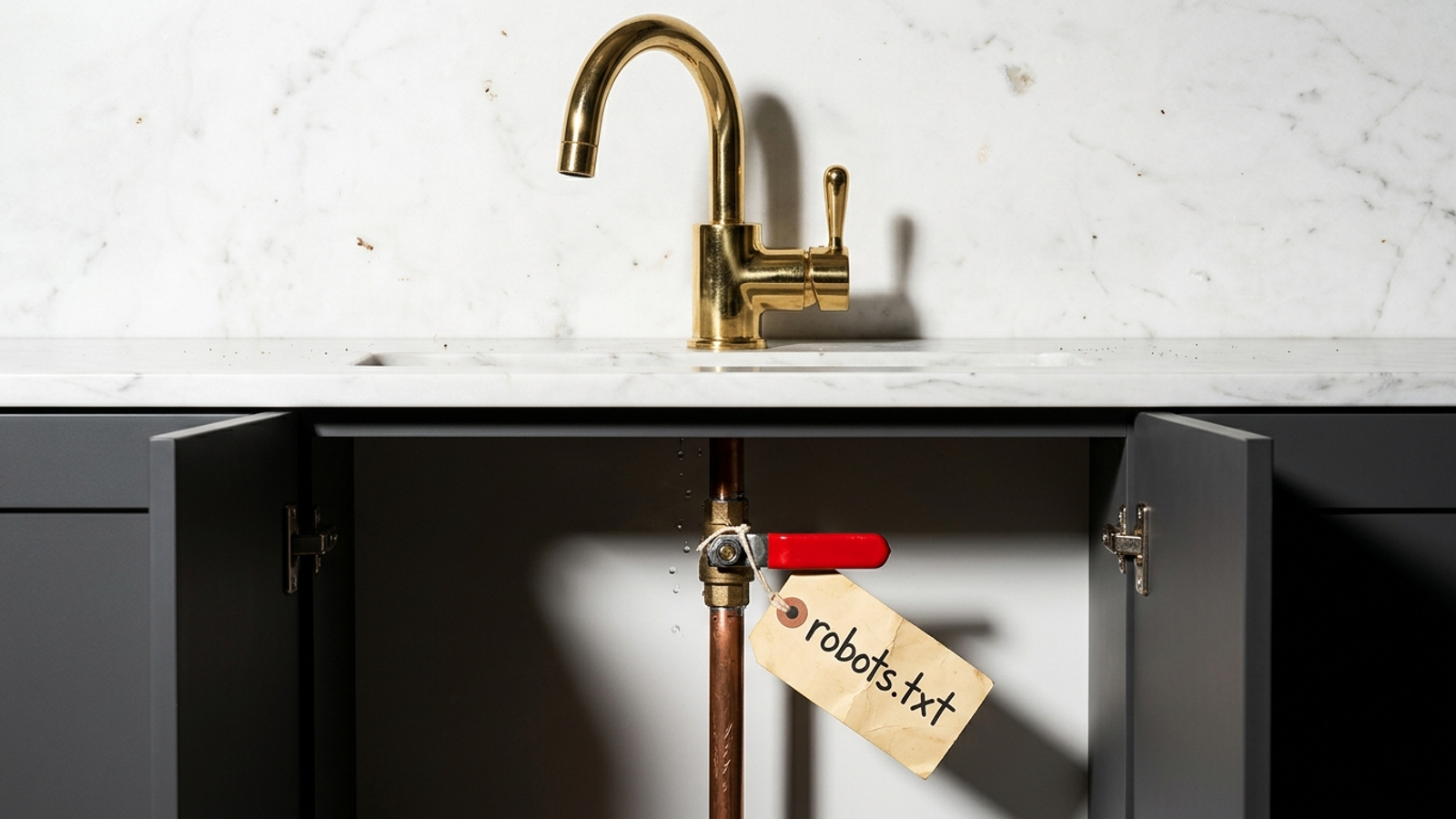
The file says who _may_ fetch. The firewall decides who _can_.
## 2. Look for the answer in your page’s initial HTML
Open one of your chosen pages with Chrome’s View Source command, or enter the source view in the address bar:
```text
view-source:https://yourdomain.com/your-service-page
```
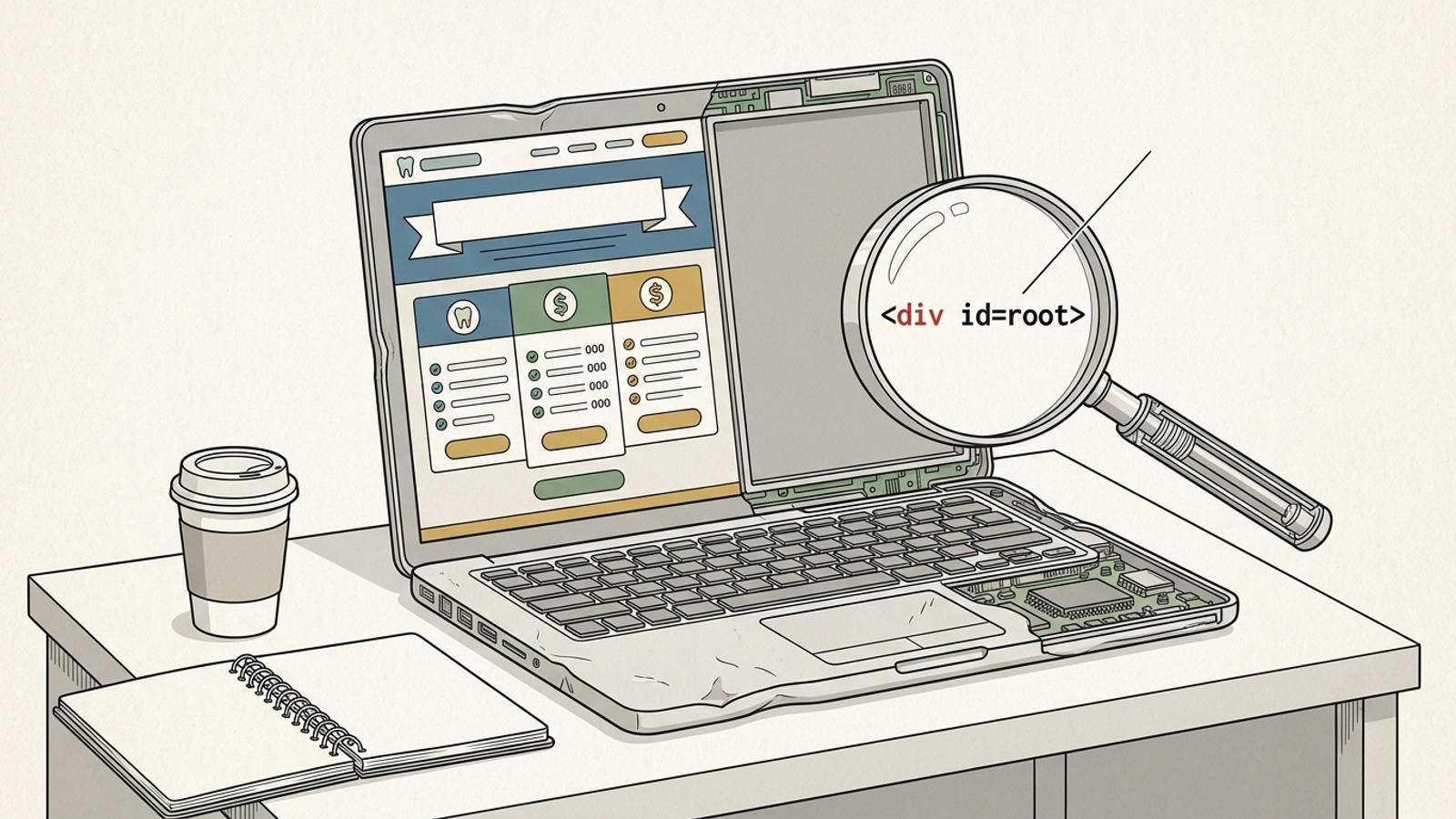
View Source does not switch off JavaScript in the browser. It shows the HTML sent before the page’s scripts build the visible result, which is the useful check here. [Many standalone AI crawlers do not render JavaScript](http://www.seoptimer.com/blog/what-is-rendered-content/). If the headline, service facts, and opening copy exist only after a script runs, some fetchers receive a shell instead of an answer.
I learned this on an ecommerce account where product copy lived in a React bundle. Humans saw reviews and specs. The initial HTML offered ``. No rewrite of that copy could help until we changed what the server sent.
### Find the text before changing the template
Use `Ctrl+F` in View Source for a sentence from the visible page. Then look for its H1, opening paragraph, price or service list, and at least one internal link. **The answer needs to exist in initial HTML**, not just in `window.__DATA__`, a later `fetch()` response, or a JavaScript mount point.
Check both of your chosen pages from the command line as well:
```bash
curl -s https://yourdomain.com/page/ | grep -i "` entries. Keep the canonical, indexable pages that return `200` and that you would want someone to encounter as an answer: service, location, pricing, and useful detailed posts. Remove tag and category archives, `?sort=` variants, redirects, `404` pages, and pages marked `noindex`. [Listing non-indexable or redirected URLs sends conflicting sitemap signals](https://editorialge.com/xml-sitemaps-guide/).
Most small sites have a familiar mismatch: 40 URLs listed, perhaps 12 doing the real work. The exact count is not the point. **A sitemap is a shortlist, not an inventory.**
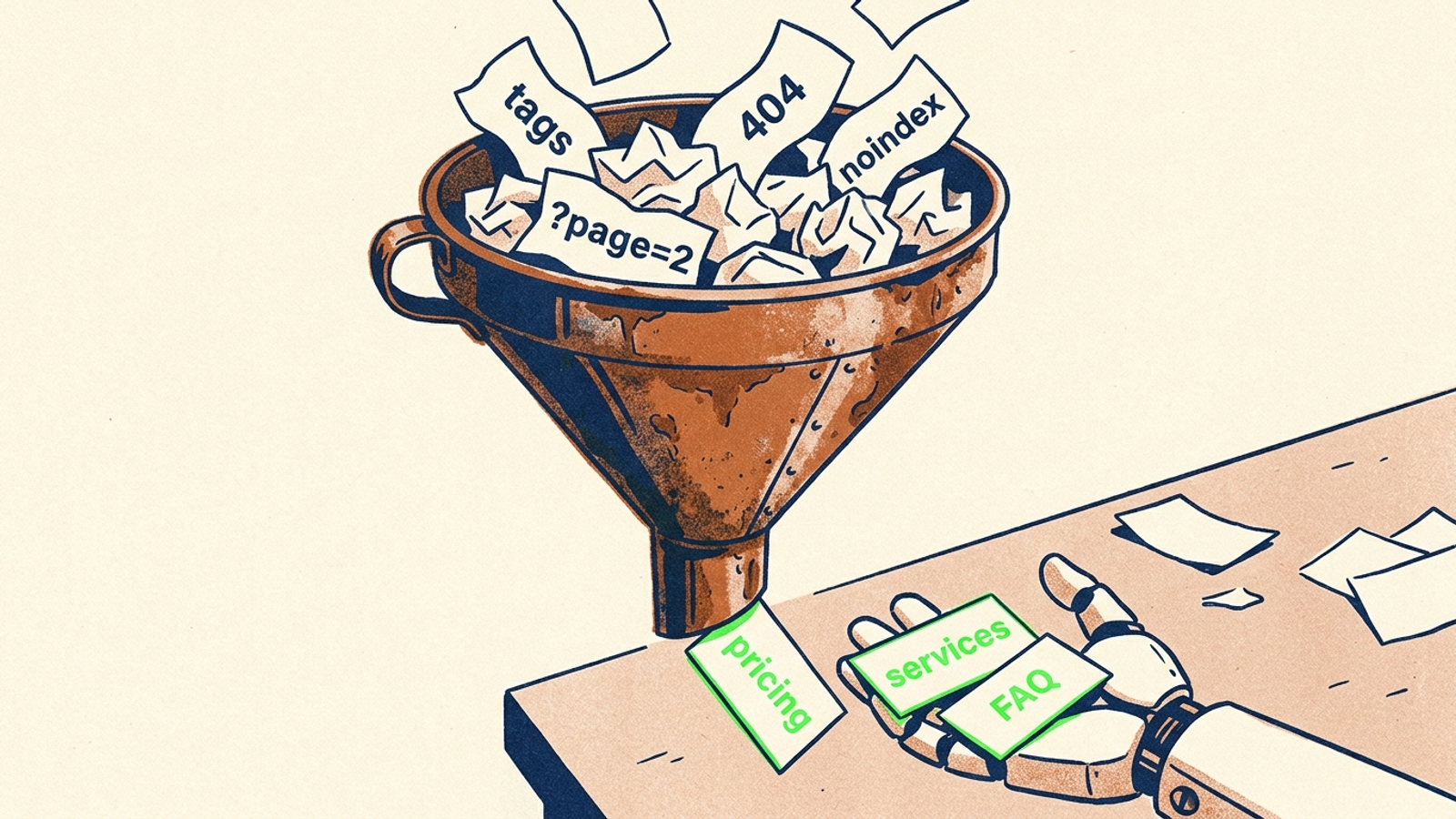
**Expected result:** the sitemap contains your two chosen answer pages and excludes the dead or unwanted entries. Submit the cleaned file through Search Console > Sitemaps. Check that the sitemap itself responds, then check the listed URLs separately:
```bash
curl -I https://yourdomain.com/sitemap.xml
curl -I https://yourdomain.com/your-service-page
```
The first command cannot tell you whether every `` works. Test those URLs, especially the pages you want cited.
**Common mistake:** leaving the selection entirely to Yoast or Shopify defaults, then checking only for a successful sitemap submission. A submitted sitemap can still point at redirects, thin archives, or pages you meant to hide. At this step, your job is mostly to delete.
## 4. Put consistent business facts in the page and schema
Add an `Organization` JSON-LD block to the homepage through your SEO plugin’s Custom Schema field or your theme’s `header.php`. Use your real details in place of the example. The [schema guidance for AI search](https://nav43.com/blog/geo-structured-data-schema-markup-for-ai-search/) is useful here, but do not treat markup as a substitute for visible facts.
```html
```
**Expected result:** Google’s Rich Results Test detects the markup without errors. More importantly, the name, phone, address, and description match what a visitor can read on your homepage, footer, and contact page. Use one business name consistently rather than alternating among `Acme`, `Acme Inc.`, and `acme.com`.
**Common mistake:** polishing the schema while leaving the useful answer inside an image or booking widget. Put service and pricing facts in plain HTML too. An example of the kind of sentence a reader can use immediately:
> Emergency visit $149 weekdays, $199 after hours. Service area: Austin, Round Rock, Cedar Park.
That is example copy, not a price list to paste into a live business page. Replace it with your actual facts. **The page must say what the markup says.** A bot cannot quote a price that exists only after someone clicks through a widget.
## 5. Check the response before you worry about speed
Run a header check on each answer page:
```bash
curl -I https://yourdomain.com/your-service-page
```
Look for a successful `2xx` response and `content-type: text/html`. [Google’s indexing guidance explains how HTTP errors affect crawling](https://developers.google.com/search/docs/crawling-indexing/http-network-errors); the practical issue for any fetcher is simpler. A blocked or broken request does not deliver the page you wanted it to read.
**Expected result:** each chosen URL returns its HTML without an error or a chain of redirects. If you are checking speed too, time an actual request rather than guessing from a header response. The draft target here is a cold fetch under 1.5 seconds; treat that as a working target, not a promise of citation.
**Common mistake:** celebrating a `200` that serves “page not found” text, or checking the browser while a security plugin gives bot requests `403`. A pricing page that redirects three times and a location page that times out after eight seconds also deserve attention. **Fix status first, speed second.** Correct dead URLs to a real `404` or an appropriate `301`, check firewall rules for verified bots, then cut render-blocking work on the two templates. Do not spend the hour tuning scripts on a page the fetcher cannot access.
## 6. Use logs to confirm real bots reached the right pages
Filter the last seven days of server or CDN logs by these user-agents:
```text
GPTBot
OAI-SearchBot
ChatGPT-User
ClaudeBot
Claude-SearchBot
Claude-User
PerplexityBot
Perplexity-User
```
Look for successful requests to `/robots.txt` and to your two answer pages. Do not require them to appear seconds apart: logs show what happened, not a tidy demonstration sequence. [ChatGPT-User is user-triggered, and `robots.txt` may not apply to it](https://developers.openai.com/api/docs/bots/). [Perplexity-User also fetches on user request and generally ignores `robots.txt`](https://docs.perplexity.ai/docs/resources/perplexity-crawlers). For your search-access check, focus on `OAI-SearchBot`, `Claude-SearchBot`, and `PerplexityBot` reaching the intended URLs with `200` responses.
### Verify the bot before counting the hit
Anyone can send `User-agent: GPTBot`. [Anthropic publishes information for verifying its crawlers](https://support.claude.com/en/articles/8896518-does-anthropic-crawl-data-from-the-web-and-how-can-site-owners-block-the-crawler), and [Perplexity publishes IP ranges for its bots](https://docs.perplexity.ai/docs/resources/perplexity-crawlers). Compare the logged IP with the relevant published information before treating a hit as evidence or changing a firewall rule.
**Expected result:** verified bot requests reach the answer pages and receive `200`, with readable HTML behind that response. You may not see a visit from every bot during this check; absence in a short window is not proof that the page is blocked.
**Common mistake:** counting hundreds of requests from an unverified IP as AI visibility, or trusting an `Allow: /` line while a firewall drops the actual crawler. **Raw hits lie. Verified fetches tell the truth.** If verified requests are blocked, correct that rule and check again after changes have had time to take effect.
## Verify the fix, then move to the next citation gap
Wait 48 hours and re-filter the logs for `OAI-SearchBot`, `Claude-SearchBot`, and `PerplexityBot` requests to your two pages. Check their status codes and the HTML those URLs return. Then ask each engine the question the page answers and look for a citation. A fetch is evidence that the plumbing works; it is not a guarantee that your page deserves the answer.
If verified fetches arrive but citations do not, **stop babysitting `robots.txt`**. Improve the depth and proof on the page, then check what other sites link to. That is the first thing to change once access works. The ongoing watch over fetches, fixes, and citations is work I would hand to [groas](https://groas.com/) rather than pay someone to rediscover the same blocked file every month.
## Frequently Asked Questions
### Should I block all AI bots in robots.txt if I want to appear in ChatGPT or Perplexity answers?
No. Bots from the same company do different jobs: GPTBot and ClaudeBot crawl for training, while OAI-SearchBot, Claude-SearchBot, and PerplexityBot fetch pages for live answers. Blocking everything with AI in the name hides your pages from the bots that could cite them. Use explicit per-bot rules instead of one broad AI-bot rule.
### How do I check if an AI bot can actually read my page content?
Open the page with Chrome's View Source or curl and search for the headline, service facts, and opening copy in the initial HTML. Many standalone AI crawlers do not render JavaScript, so content that only appears after a script runs may never reach them. If View Source lacks it, use server-side rendering, static generation, or place a static HTML summary above the app.
### What should I put in my sitemap.xml for AI answer engines?
Keep only canonical, indexable pages that return 200 and that you would want cited, such as service, location, pricing, and useful detailed posts. Remove tag and category archives, sort variants, redirects, 404 pages, and noindex pages, because listing non-indexable or redirected URLs sends conflicting signals. A sitemap is a shortlist, not an inventory.
### Is adding Organization schema enough for AI search visibility?
No. The name, phone, address, and description in your Organization JSON-LD block must match what a visitor can read on your homepage, footer, and contact page, using one business name consistently. A bot cannot quote a price or fact that exists only inside an image or booking widget, so put service and pricing facts in plain HTML too.
### What should I check first, page speed or whether bots get an error?
Fix status first, speed second. Run a header check on each answer page and confirm a 2xx response with content-type text/html, no redirect chains, and no 403 from a firewall or security plugin. A blocked or broken request never delivers the page at all, so there is no point tuning scripts on a page the fetcher cannot access.
### Can I trust log entries with a bot's user-agent as proof the bot visited?
No, raw hits lie. Anyone can send a header like User-agent: GPTBot. Compare the logged IP with the crawler information Anthropic and Perplexity publish before treating a hit as evidence or changing a firewall rule. Only verified fetches reaching your pages with 200 responses and readable HTML count as real access.
### Verified AI bots can fetch my page but I still get no citations. What now?
Stop babysitting robots.txt. Once verified fetches arrive, the plumbing works, and the remaining gap is the page itself. Improve the depth and proof on the page, then check what other sites link to it. Note also that a 48-hour log window with no visit from a bot is not proof the page is blocked.
## Pay For Results, Not For Hours
Businesses buy the outcome, agencies resell it, and groas answers for it either way.
[See If You Qualify](https://groas.typeform.com/to/xC1bQNUT)
## Structured data
```json
{"@context":"https://schema.org","@graph":[{"@type":"Organization","@id":"https://graph.groas.com/entity/groas","name":"groas","url":"https://groas.com/","logo":{"@type":"ImageObject","url":"https://groas.com/icon-512.png","width":512,"height":512},"sameAs":["https://www.linkedin.com/company/groas/"]},{"@type":"WebSite","@id":"https://groas.com/#website","name":"groas","url":"https://groas.com/","inLanguage":"en-US","publisher":{"@id":"https://graph.groas.com/entity/groas"}},{"@type":"WebPage","@id":"https://groas.com/post/can-ai-bots-actually-read-your-site-a-60#webpage","url":"https://groas.com/post/can-ai-bots-actually-read-your-site-a-60","name":"Can AI Bots Read Your Site? A 60-Minute Plumbing Check","description":"Before rewriting pages for AI answers, check the plumbing. This 60-minute walkthrough tests robots.txt, initial HTML, your sitemap, schema, status codes, and verified bot fetches.","inLanguage":"en-US","isPartOf":{"@id":"https://groas.com/#website"},"about":{"@id":"https://graph.groas.com/entity/groas"},"primaryImageOfPage":{"@type":"ImageObject","url":"https://pub-87da24ecbbfc4c3bad6875f3aa013712.r2.dev/generated-images/fa8d7c4f-c55e-4696-894b-e54e371d36cc.png"},"breadcrumb":{"@id":"https://groas.com/post/can-ai-bots-actually-read-your-site-a-60#breadcrumb"},"dateModified":"2026-10-15T05:51:31.081Z","mainEntity":{"@id":"https://groas.com/post/can-ai-bots-actually-read-your-site-a-60#article"}},{"@type":"BreadcrumbList","@id":"https://groas.com/post/can-ai-bots-actually-read-your-site-a-60#breadcrumb","itemListElement":[{"@type":"ListItem","position":1,"name":"Home","item":"https://groas.com/"},{"@type":"ListItem","position":2,"name":"Blog","item":"https://groas.com/blog"},{"@type":"ListItem","position":3,"name":"Can AI Bots Read Your Site? A 60-Minute Plumbing Check","item":"https://groas.com/post/can-ai-bots-actually-read-your-site-a-60"}]},{"@type":"BlogPosting","@id":"https://groas.com/post/can-ai-bots-actually-read-your-site-a-60#article","url":"https://groas.com/post/can-ai-bots-actually-read-your-site-a-60","mainEntityOfPage":{"@id":"https://groas.com/post/can-ai-bots-actually-read-your-site-a-60#webpage"},"isPartOf":{"@id":"https://groas.com/blog#blog"},"headline":"Can AI Bots Read Your Site? A 60-Minute Plumbing Check","description":"Before rewriting pages for AI answers, check the plumbing. This 60-minute walkthrough tests robots.txt, initial HTML, your sitemap, schema, status codes, and verified bot fetches.","datePublished":"2026-10-15T05:51:31.009Z","dateModified":"2026-10-15T05:51:31.081Z","image":{"@type":"ImageObject","url":"https://pub-87da24ecbbfc4c3bad6875f3aa013712.r2.dev/generated-images/fa8d7c4f-c55e-4696-894b-e54e371d36cc.png"},"author":{"@id":"https://groas.com/author/alexander-perelman#person"},"publisher":{"@id":"https://graph.groas.com/entity/groas"},"keywords":"check, page, pages, robots txt, bots, yourdomain com, sitemap, com","wordCount":1881,"inLanguage":"en-US"},{"@type":"Person","@id":"https://groas.com/author/alexander-perelman#person","name":"Alexander Perelman","jobTitle":"Head Of Product @ groas","description":"Ex Goldman Sachs and Ex Stanford Computer Science","image":"https://groas.com/media/blog/4f17cac3a81acc224cc1b2cfab8f94bbc295a3089d13e8421125771ef8d4064f.jpg","worksFor":{"@id":"https://graph.groas.com/entity/groas"},"sameAs":["https://www.linkedin.com/in/alexander-433793253/"]},{"@type":"FAQPage","@id":"https://groas.com/post/can-ai-bots-actually-read-your-site-a-60#faq","mainEntity":[{"@type":"Question","name":"Should I block all AI bots in robots.txt if I want to appear in ChatGPT or Perplexity answers?","acceptedAnswer":{"@type":"Answer","text":"No. Bots from the same company do different jobs: GPTBot and ClaudeBot crawl for training, while OAI-SearchBot, Claude-SearchBot, and PerplexityBot fetch pages for live answers. Blocking everything with AI in the name hides your pages from the bots that could cite them. Use explicit per-bot rules instead of one broad AI-bot rule."}},{"@type":"Question","name":"How do I check if an AI bot can actually read my page content?","acceptedAnswer":{"@type":"Answer","text":"Open the page with Chrome's View Source or curl and search for the headline, service facts, and opening copy in the initial HTML. Many standalone AI crawlers do not render JavaScript, so content that only appears after a script runs may never reach them. If View Source lacks it, use server-side rendering, static generation, or place a static HTML summary above the app."}},{"@type":"Question","name":"What should I put in my sitemap.xml for AI answer engines?","acceptedAnswer":{"@type":"Answer","text":"Keep only canonical, indexable pages that return 200 and that you would want cited, such as service, location, pricing, and useful detailed posts. Remove tag and category archives, sort variants, redirects, 404 pages, and noindex pages, because listing non-indexable or redirected URLs sends conflicting signals. A sitemap is a shortlist, not an inventory."}},{"@type":"Question","name":"Is adding Organization schema enough for AI search visibility?","acceptedAnswer":{"@type":"Answer","text":"No. The name, phone, address, and description in your Organization JSON-LD block must match what a visitor can read on your homepage, footer, and contact page, using one business name consistently. A bot cannot quote a price or fact that exists only inside an image or booking widget, so put service and pricing facts in plain HTML too."}},{"@type":"Question","name":"What should I check first, page speed or whether bots get an error?","acceptedAnswer":{"@type":"Answer","text":"Fix status first, speed second. Run a header check on each answer page and confirm a 2xx response with content-type text/html, no redirect chains, and no 403 from a firewall or security plugin. A blocked or broken request never delivers the page at all, so there is no point tuning scripts on a page the fetcher cannot access."}},{"@type":"Question","name":"Can I trust log entries with a bot's user-agent as proof the bot visited?","acceptedAnswer":{"@type":"Answer","text":"No, raw hits lie. Anyone can send a header like User-agent: GPTBot. Compare the logged IP with the crawler information Anthropic and Perplexity publish before treating a hit as evidence or changing a firewall rule. Only verified fetches reaching your pages with 200 responses and readable HTML count as real access."}},{"@type":"Question","name":"Verified AI bots can fetch my page but I still get no citations. What now?","acceptedAnswer":{"@type":"Answer","text":"Stop babysitting robots.txt. Once verified fetches arrive, the plumbing works, and the remaining gap is the page itself. Improve the depth and proof on the page, then check what other sites link to it. Note also that a 48-hour log window with no visit from a bot is not proof the page is blocked."}}]}]}
```