

 LinkedIn
Most technical AI-visibility advice is recycled SEO folklore. Our edge servers logged 13,294 requests for robots.txt in 30 days, including 1,216 from Claude-User. Meanwhile, agencies are still selling llms.txt files, schema on everything, and perfect layout scores as the keys to getting cited. I have nothing against technical work. I have a problem with paying for work that misses the actual blockers: access, readable HTML, and a passage worth quoting.
Myth 1: “An llms.txt file is what gets you cited”
The pitch sounds tidy. Markdown is cheap to parse, so put an /llms.txt file at your domain root and spoon-feed clean summaries to AI crawlers. Compared with fixing a site, creating a file feels wonderfully manageable.
A file no one fetches cannot rescue a page no one can read. An Ahrefs study of 137,000 domains found that 97% of published llms.txt files received zero crawler traffic in May 2026. Google’s John Mueller has said its search crawlers do not look for them. OpenAI, Anthropic, and Perplexity retrieve web pages; they do not depend on a self-declared marketing summary to understand your site.
That does not make a markdown directory sinister. It makes it a poor substitute for the page a buyer might actually find. If your pricing or product information is blocked, buried, or missing from the initial HTML, writing a neat summary in another file leaves the original problem in place. Check the page before you commission the accessory.
Myth 2: “AI bots don’t bother with robots.txt”
This one survives because rogue scrapers exist. People see one bot ignore a directive and conclude that every AI system does. That is an expensive conclusion to build an access policy around.
Across groas client edge infrastructure, our servers logged 13,294 requests for robots.txt over 30 days, including 1,216 identified as Claude-User. Those requests do not prove every crawler follows every rule. They do show why it is foolish to treat robots.txt as irrelevant to live retrieval. A blanket Disallow: / intended to keep training crawlers out can also shut out the bots you want fetching public pages.
The useful distinction is not AI bot versus ordinary bot. It is which bot requests which page, what your rules permit, and what response the server returns. Inspect those three things before you assume an engine has chosen to ignore you. Sometimes you told it to leave.
Myth 3: “Schema markup on every page is the fix”
Structured data is easy to sell. It has a checklist, a validator, and a satisfying green checkmark. The pitch is that an AI engine cannot understand your pricing, product, or service tiers unless you wrap them in nested JSON-LD.
Markup does not turn vague copy into a useful answer. In a controlled study of 1,885 pages that added JSON-LD and 4,000 control pages, Ahrefs found no statistically significant lift in citations across Google AI Overviews, AI Mode, and ChatGPT. The reported changes were -4.6%, +2.4%, and +2.2%, respectively. That is a poor basis for promising an AI-visibility payoff from sitewide schema work.
Schema can still help with conventional search features such as star ratings or event badges. Keep it where it serves a purpose. But if a buyer asks how your product compares with another one and your page answers in evasive corporate prose, another layer of @type tags will not supply the missing sentence. Write that sentence first.
Myth 4: “A perfect Core Web Vitals score helps AI answers”
I know why this appears in an audit: page speed matters to people, the tools produce numbers, and numbers look persuasive beside red warning icons. Then the audit quietly jumps from “improve the browsing experience” to “earn more AI citations.” Those are not the same job.
Largest Contentful Paint, Cumulative Layout Shift, and Interaction to Next Paint describe how a page loads and responds in a browser. A live text fetch has a more immediate problem: can it get a usable server response before its timeout? Crawler performance research points instead to protocol-level issues such as Time to First Byte, HTTP status codes, response size, and tight fetch windows.
Fix the failed fetch before polishing the layout score. Spending three weeks on font swaps to take CLS from 0.12 to 0.04 may make the page nicer for visitors. It will not fix a database query that intermittently returns a 504 gateway timeout. If the bot gets an error, it cannot quote your beautifully stable page. Do the server work first; keep the browser work for the humans who use the browser.
Myth 5: “Blocking training bots also blocks you from answers”
Engineering teams often have a legitimate reason to limit scraping. The mistake is treating every AI user agent as if it performs the same task, then applying one wildcard ban and calling it a privacy policy.
OpenAI’s bot specifications distinguish GPTBot, which gathers data for model training, from OAI-SearchBot, which handles search retrieval. You can disallow GPTBot without necessarily preventing OAI-SearchBot from reaching public pages. Block the retrieval bot as well, and you have made your content unavailable through that route. The same practical question applies when rules or security systems affect Claude-User and PerplexityBot.
Choose the boundary you mean to enforce. Protecting content from training and allowing a live answer engine to fetch a public page are separate decisions. Check the user-agent rules and the server response for each bot rather than copying a blocklist that treats them as one creature with several name tags.
Myth 6: “A content-gap report tells you why you aren’t cited”
The dashboard shows your competitor in three prompts where you are absent. Next comes a chart labeled share of voice and an export claiming you need seven more semantic subheadings. It looks precise because it has decimals. That does not make the diagnosis precise.
An analysis of AI visibility tools describes the problem with synthetic gap reports: citations can vary across sessions, locations, and conversation histories. A snapshot of one set of prompts cannot tell you that a missing heading caused an absence, let alone promise that adding it will earn the next citation.
Your page may have a plainer problem. It may open with four paragraphs of throat-clearing, hide pricing inside interactive tabs, or describe the product so vaguely that there is nothing useful to lift into an answer. A monitoring result is an observation, not a repair plan. Use it to choose a page to inspect, then inspect what a bot can fetch and what a reader can quote. Do not mistake Tuesday’s chart for tomorrow’s operating instructions.
The 3 checks worth making before you buy a fix
These checks are less glamorous than a citation dashboard. They also follow the order a retrieval system has to follow: reach the page, read the content, find an answer. If one step fails, the later ones have nothing to work with. Run them before approving another stack of audit recommendations.
1. Can the bot reach the page?
Start at the server, not the metadata report. A retrieval bot needs a successful response from the URL you want cited. Web application firewalls can treat automated fetchers as hostile and return a 403 Forbidden response or a JavaScript CAPTCHA. A slow server can return a 504 gateway timeout under load. Neither response contains a useful answer to your buyer’s question.
Inspect raw access logs for requests from OAI-SearchBot, Claude-User, and PerplexityBot. Check the URL requested and the status returned. A 200 OK is the basic result you want to see; a wall or timeout tells you where to start fixing. This is also where a well-intended robots.txt rule becomes visible as an operational decision rather than a line nobody remembers adding. If you want a step-by-step way to test permissions and inspect log entries, use our 45-minute check before buying an AI visibility fix.
2. Can it read the content without JavaScript?
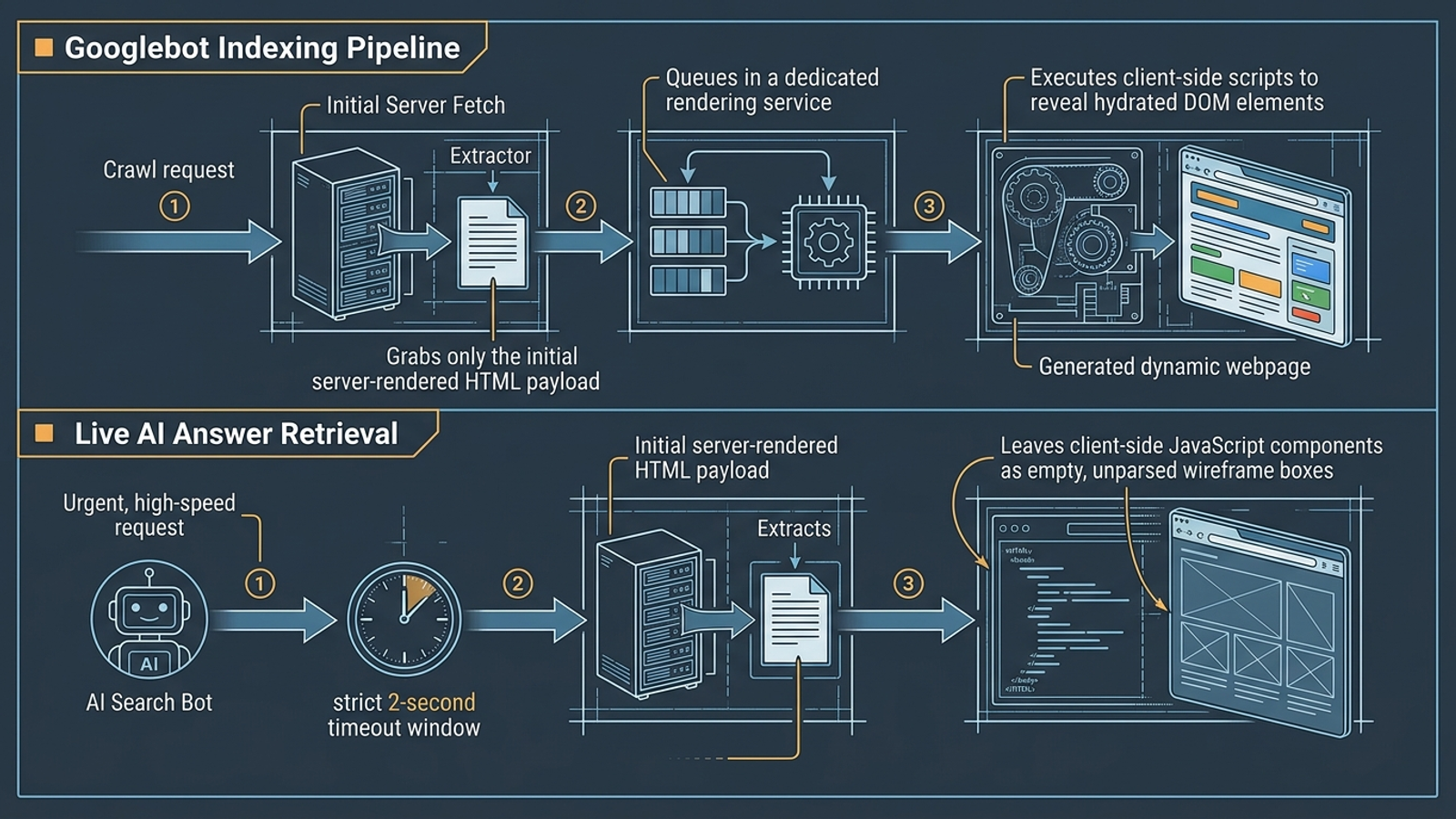
A page can return 200 OK and still deliver almost nothing useful in its initial HTML. Googlebot has a rendering process for JavaScript-heavy pages; do not assume every live AI fetch waits for the same work. The Vercel study discussed here examined more than 500 million GPTBot requests and describes why relying on client-side rendering is risky for AI crawlers.
If pricing tables, feature comparisons, or the answer itself appear only after the browser runs JavaScript, a quick fetch may get a shell such as div id="root" instead of the content. Put the information you want retrieved in the initial server response. For a quick check, run curl -s -A "OAI-SearchBot" https://yourdomain.com/page | grep -i "your key offer". An empty result is a reason to inspect the raw HTML and how that page renders its key offer, not a reason to buy more schema.
3. Is there a passage worth quoting?
Once a bot reaches the page and can read its text, the content still has to answer something. Retrieval systems work with passages rather than treating an entire page as one tidy response. If your best explanation starts after four paragraphs of brand positioning, the relevant passage is harder to find and less useful when separated from its surroundings.
Try the low-tech test: highlight two consecutive sentences that answer a buyer’s question without requiring the preceding page for context. A strong passage states the answer, gives the concrete constraint or detail that makes it useful, and stops. Exact numbers help when they belong there; decorative precision does not. Make the answer quotable in ordinary language. If you cannot find those two sentences, rewrite the page before you pay a tool to count its headings.
Myth 7: “An audit tool that flags issues has fixed them”
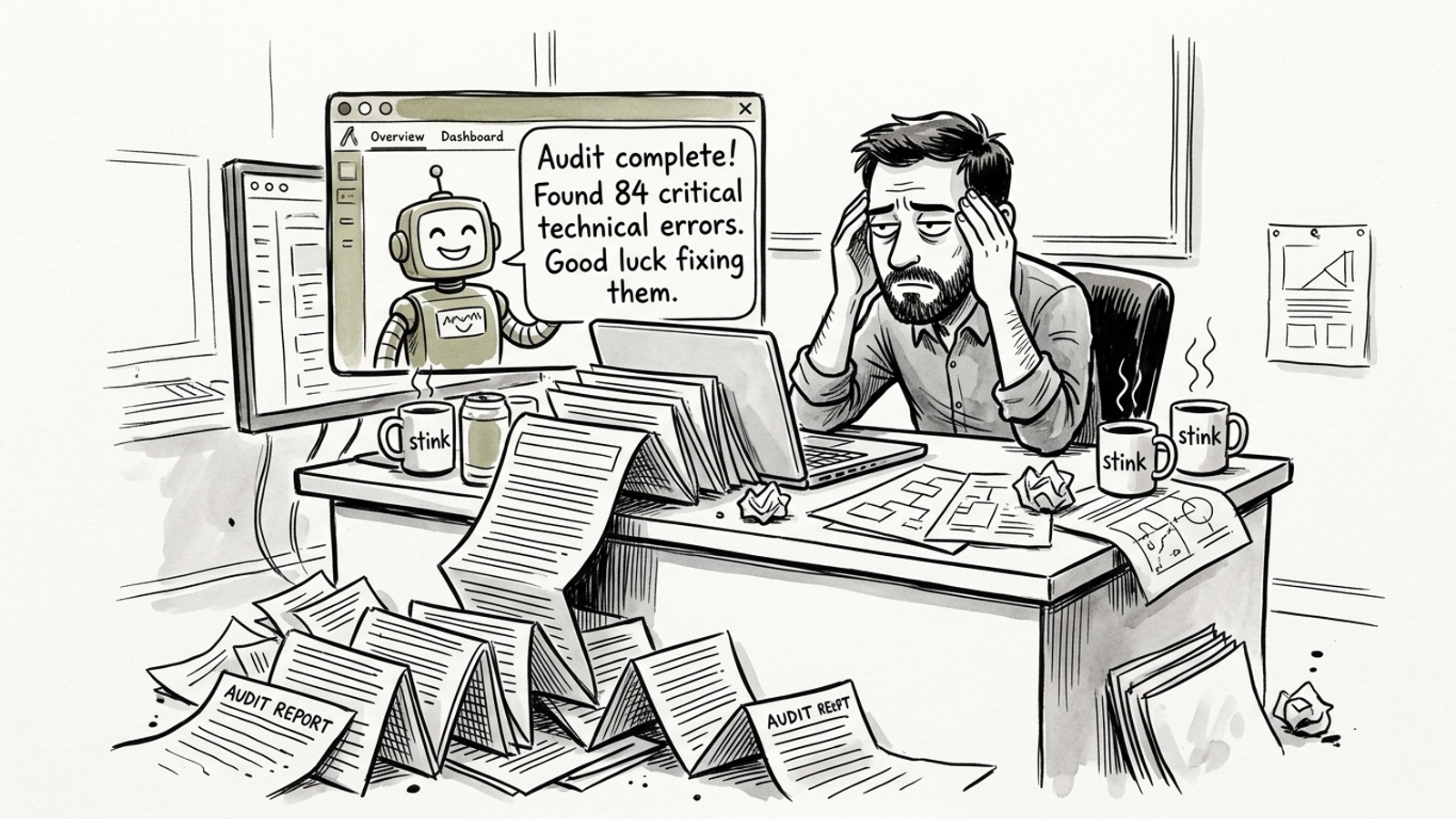
This is the myth I find hardest to kill because the purchase feels like progress. A scanner produces a PDF with 47 crawl warnings, 12 missing metadata tags, and three schema errors. Someone can put a green tick beside “AI visibility audit completed.” The server is still returning a 403, and the pricing table is still hidden behind JavaScript.
A community discussion about SaaS visibility tools captures the frustration: tools observe problems and leave the work on the buyer’s engineering backlog. That is the distinction to press when you evaluate software or outside support. An alert is not execution. Ask who will inspect the logs, change the access rule, make the key content available in server-rendered HTML, and rewrite the paragraph that never answers the question. If the answer is “your team,” you are buying a measurement tool, not a fix.
This operational gap is why we built groas as an autonomous growth engine rather than another passive reporting screen. Specialized execution models work within client guardrails, while a named human strategist owns direction and accountability. The aim is to carry out the work, log the actions in plain English, and charge a flat monthly fee rather than a percentage-of-spend markup. That is a better alternative to paying for another list of tasks your team has no time to finish.
A dashboard can tell you the door is locked. Before you buy one, ask who is going to open it.